Snap the receiptBeta
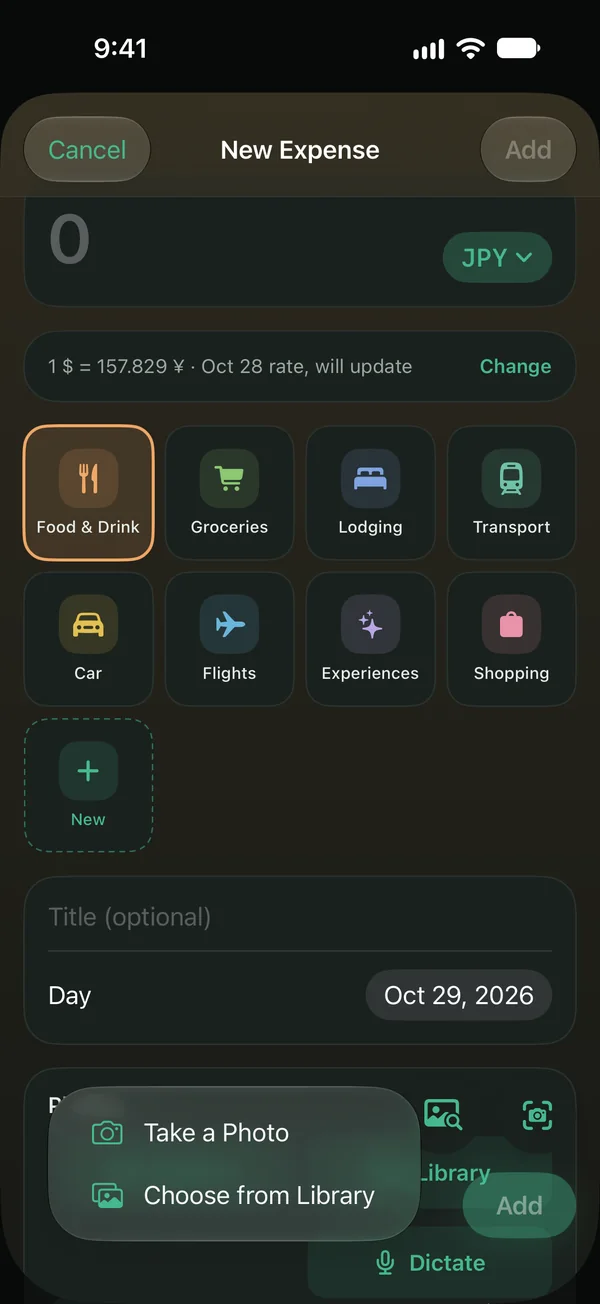
Total, currency, place and category fill themselves in. Bank PDF receipts work too, from the Share sheet or the clipboard.
 SpentryComing soon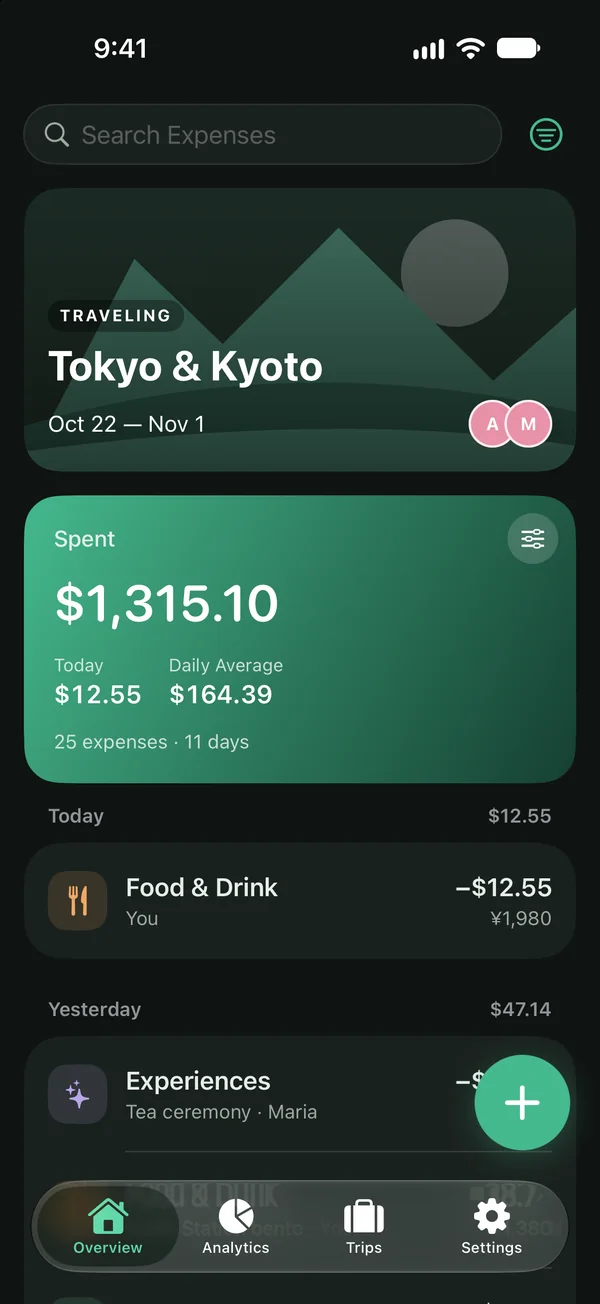
Trip expenses for iPhone
Add an expense in any of 159 currencies and Spentry converts it to yours. Snap the receipt, keep going offline, and share the trip with friends.
Coming soon to the App StoreSee how it worksAny currency
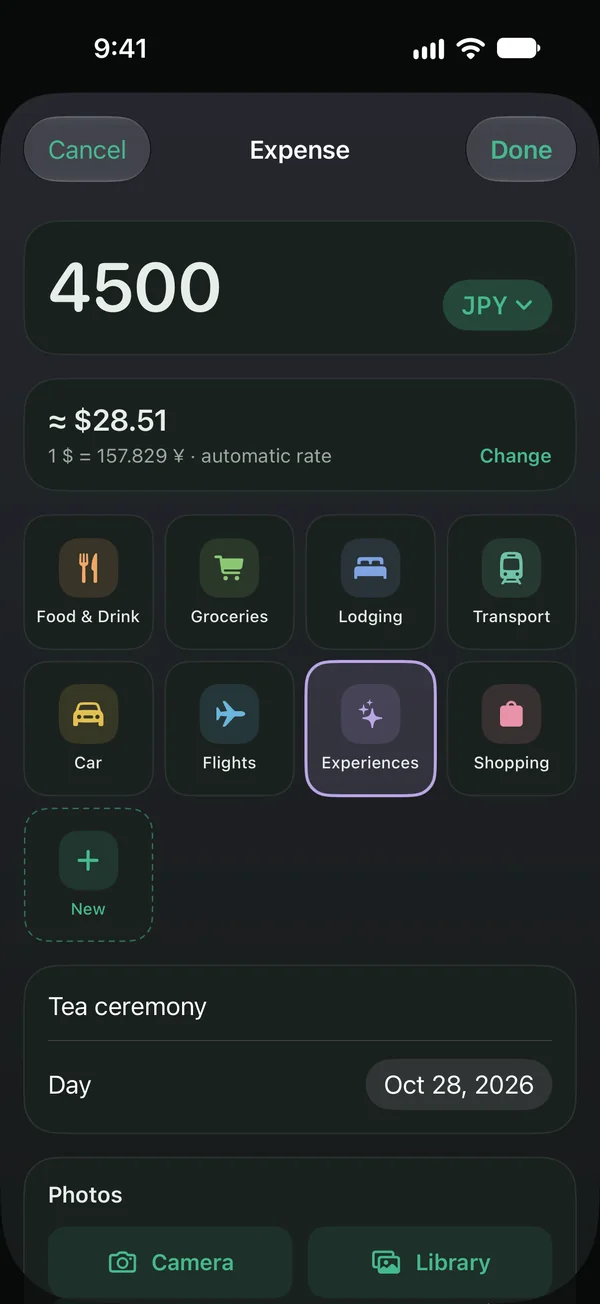
Type the price the way it's written. Spentry picks the currency of the country you're in and converts it at the rate of the day you spent.
How it works
Name it, pick a cover and the dates, then invite friends with a link. No dates yet? The trip works as a wallet for any days.
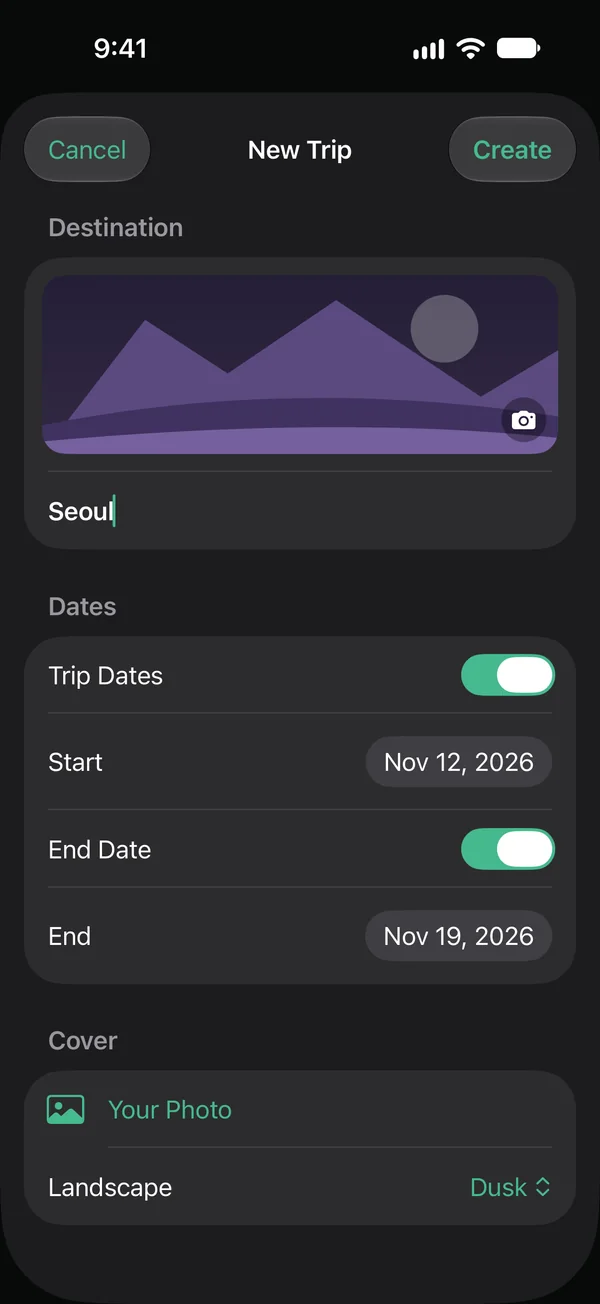
Type the price as it's written and see it in dollars right away. Or snap the receipt, or just say it. No signal? It's saved on your iPhone and syncs later.
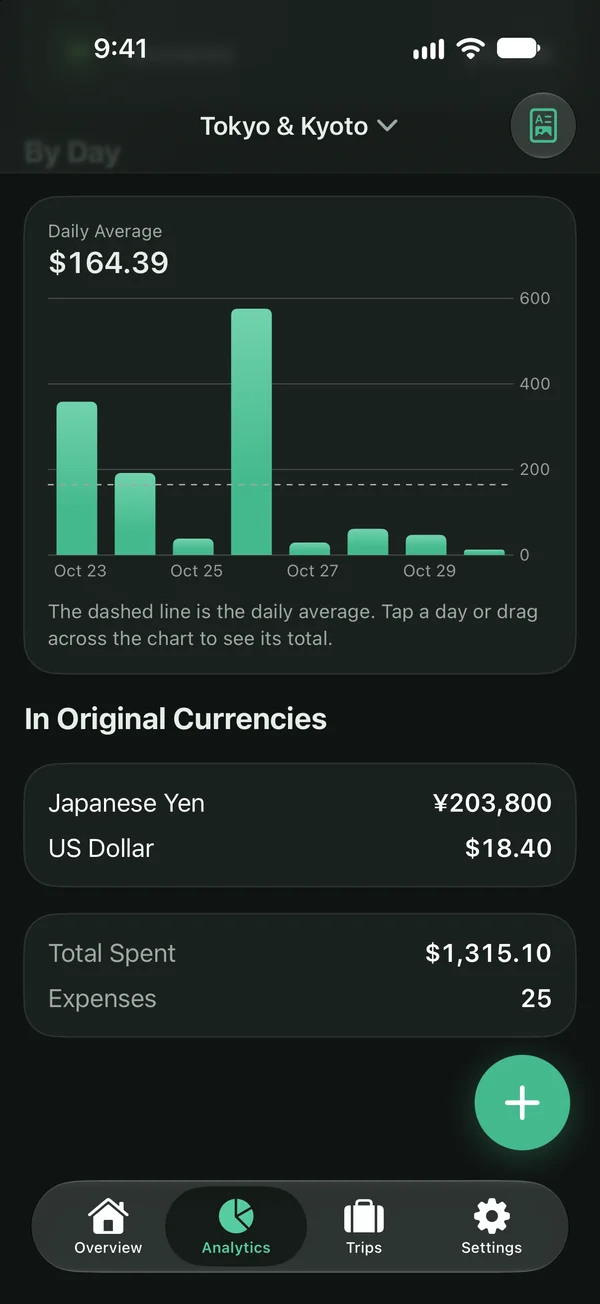
Totals, the daily average and every category in your home currency. Drag across the chart to see any day, and check what you paid in each currency.
Features
The things that make travel money messy, handled for you.
Total, currency, place and category fill themselves in. Bank PDF receipts work too, from the Share sheet or the clipboard.
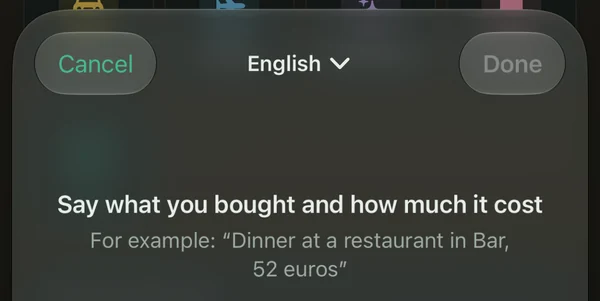
Say what you bought and how much, and the expense is ready.
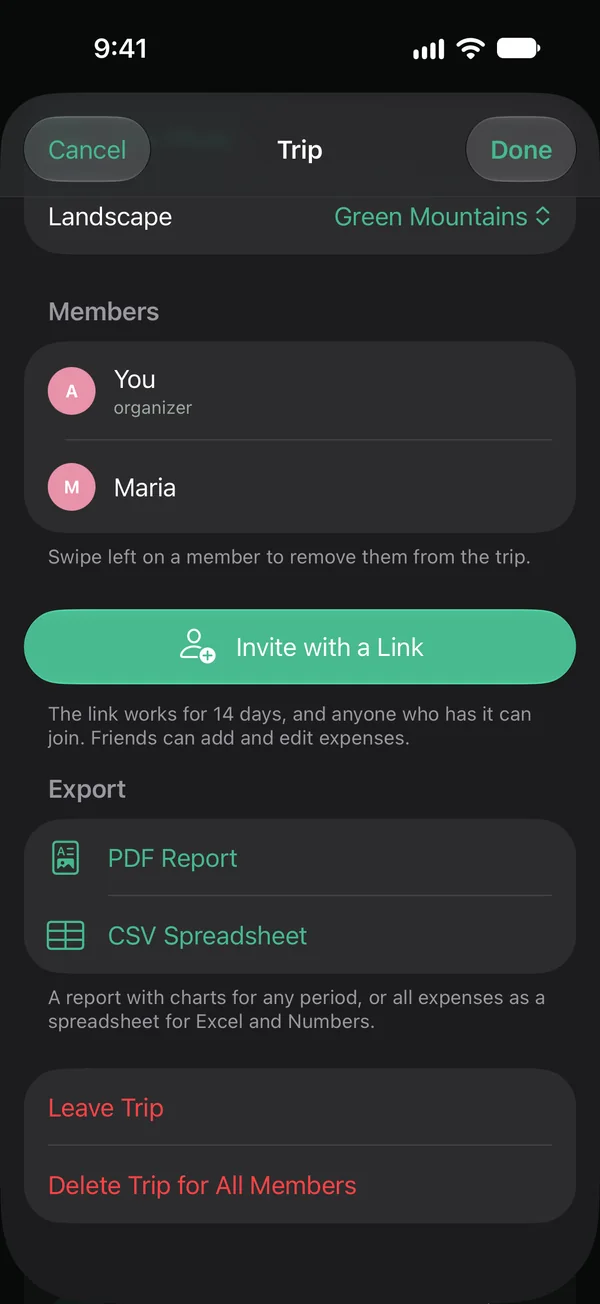
One trip for the whole group. Friends join with a link and add their own expenses, you get a notification, and the totals are shared. Export the trip as a PDF report or a CSV.
Every expense gets the exchange rate of its day automatically. Paid at a different rate? Tap Change and set your own.
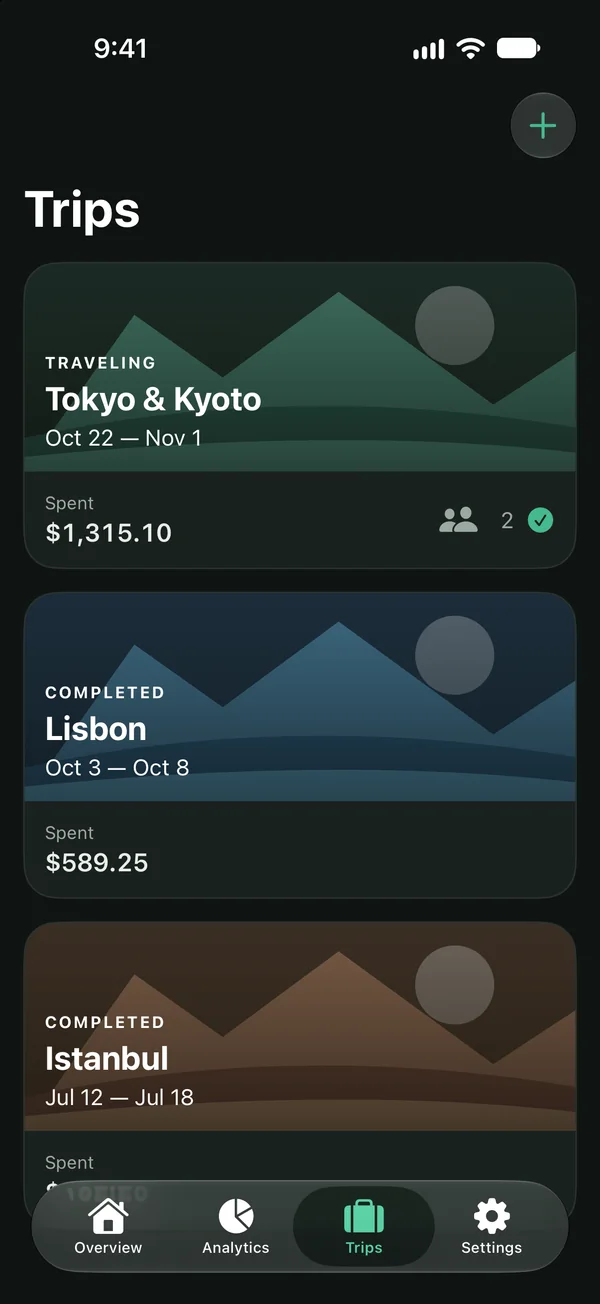
Each trip keeps its own cover, dates, people and totals, so a weekend in Lisbon never mixes with a month in Japan. Analytics show every day and every currency you paid in.
Spentry for the web Coming soon
A web version is on the way: open your trips in the browser, with the same expenses and totals as on your iPhone.
 Coming soon
Privacy
No passwords to remember, and your email can stay hidden.
Location and other metadata are stripped from photos before they're uploaded.
Receipts are read by an AI model that isn't trained on them, and the scan is deleted once it's read.
Your name, email and the trips only you were in are erased, photos included.
FAQ
Short answers to what people ask before their first trip with Spentry.
Yes. Every expense is saved on your iPhone first and syncs on its own when you're back online.
All 159 ISO currencies, each with the right number of decimals: no cents for the yen, three decimals for the Kuwaiti dinar. Totals show in the home currency you pick.
Spentry fills in the rate for the day of each expense automatically. You can always correct it by hand.
Yes. Invite friends with a link: everyone adds their own expenses to the same trip, and you get a notification when they do.
Your name, email, sign-in and the trips only you were in are erased, photos included. What you added to shared trips stays there under the organizer's name, so your friends' totals still add up.
A web version is coming soon and will sync with your iPhone. There's no Android app yet: Spentry is made for iPhone and needs iOS 17 or later.
English and Russian. Spentry follows your iPhone's language.
Coming soon to the App Store, for iPhone with iOS 17 or later.
Coming soon to the App Store